The ESP32 is one of the most popular microcontrollers for IoT projects, offering built-in WiFi, Bluetooth, and powerful dual-core processing. In this comprehensive guide, you'll learn everything you need to start building amazing projects with ESP32.
What is ESP32?
ESP32 is a low-cost, low-power system on a chip (SoC) series created by Espressif Systems. It's the successor to the popular ESP8266 and comes with significant improvements:
- Dual-core Tensilica LX6 processor (up to 240MHz)
- Built-in WiFi 802.11 b/g/n
- Bluetooth 4.2 and BLE (Bluetooth Low Energy)
- 520KB SRAM and 4MB Flash memory
- 34 programmable GPIO pins
- Multiple communication protocols: SPI, I2C, I2S, UART
- ADC, DAC, PWM, and touch sensor support
Required Hardware
To get started with ESP32, you'll need the following components:
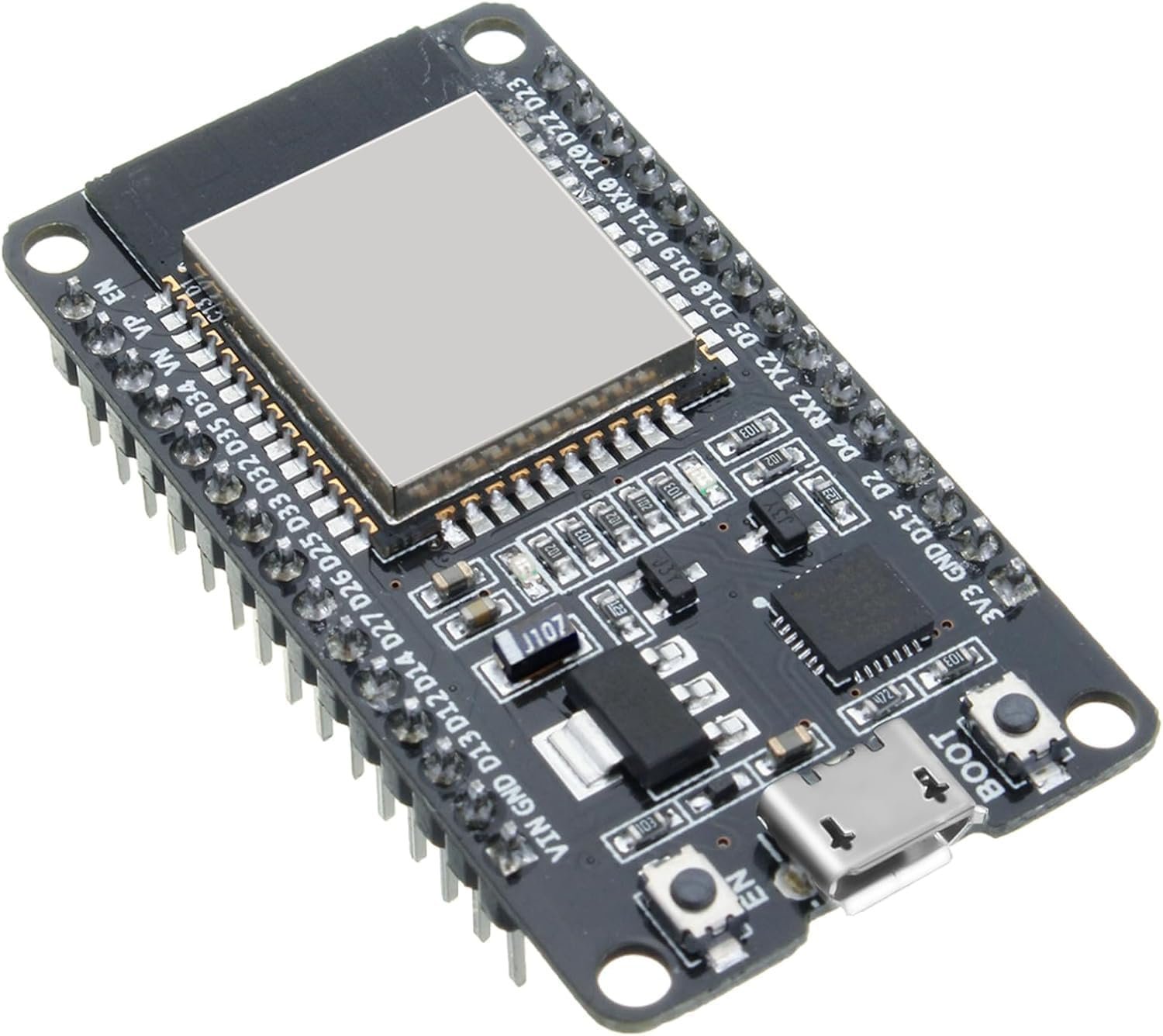
- ESP32 Development Board - ESP32 DevKit, NodeMCU-32S, or similar
- USB Cable - Micro-USB or USB-C depending on your board
- Breadboard and Jumper Wires - For prototyping
- LED and Resistor - For your first blink project
Setting Up Arduino IDE
The easiest way to program ESP32 is using the Arduino IDE. Follow these steps:
Step 1: Install Arduino IDE
Download and install the latest version of Arduino IDE from arduino.cc
Step 2: Add ESP32 Board Support
Open Arduino IDE and follow these steps:
- Go to File → Preferences
- In "Additional Boards Manager URLs", paste this URL:
https://raw.githubusercontent.com/espressif/arduino-esp32/gh-pages/package_esp32_index.json- Go to Tools → Board → Boards Manager
- Search for "ESP32" and install "esp32 by Espressif Systems"
- Select your board: Tools → Board → ESP32 Arduino → ESP32 Dev Module
Your First ESP32 Program: Blink LED
Let's start with the classic "Hello World" of electronics - blinking an LED!
Wiring
- Connect LED positive (long leg) to GPIO2
- Connect 220Ω resistor from LED negative to GND
Code
#define LED_PIN 2

void setup() {
  pinMode(LED_PIN, OUTPUT);
  Serial.begin(115200);
  Serial.println("ESP32 Blink Example");
}

void loop() {
  digitalWrite(LED_PIN, HIGH);   // Turn LED ON
  Serial.println("LED ON");
  delay(1000);                   // Wait 1 second

  digitalWrite(LED_PIN, LOW);    // Turn LED OFF
  Serial.println("LED OFF");
  delay(1000);                   // Wait 1 second
}
Upload the Code
- Select the correct COM Port from Tools → Port
- Click the Upload button
- Wait for "Done uploading" message
- Open Serial Monitor (Ctrl+Shift+M) at 115200 baud
You should see the onboard LED blinking every second!
WiFi Connection Example
One of ESP32's most powerful features is built-in WiFi. Here's how to connect to your network:
#include <WiFi.h>

const char* ssid = "YOUR_WIFI_SSID";
const char* password = "YOUR_WIFI_PASSWORD";

void setup() {
  Serial.begin(115200);
  delay(1000);

  Serial.println("Connecting to WiFi...");
  WiFi.begin(ssid, password);

  while (WiFi.status() != WL_CONNECTED) {
    delay(500);
    Serial.print(".");
  }

  Serial.println("");
  Serial.println("WiFi connected!");
  Serial.print("IP address: ");
  Serial.println(WiFi.localIP());
}

void loop() {
  // Your code here
}
Replace YOUR_WIFI_SSID and YOUR_WIFI_PASSWORD with your actual credentials.
Common ESP32 Pinout
Understanding the ESP32 pinout is crucial for your projects:
- GPIO 0, 2, 5, 12-15 - Safe to use for digital I/O
- GPIO 34-39 - Input only pins (no pullup/pulldown)
- GPIO 6-11 - Connected to flash memory (avoid using)
- GPIO 1, 3 - TX/RX pins (Serial communication)
- ADC1 channels - GPIO 32-39 (work with WiFi)
- Touch pins - GPIO 0, 2, 4, 12-15, 27, 32, 33
Power Consumption Tips
ESP32 can consume significant power. Here are optimization tips:
- Use Deep Sleep mode for battery-powered projects
- Disable WiFi when not needed with
WiFi.disconnect() - Lower CPU frequency to 80MHz or 160MHz
- Use light sleep mode between operations
Deep Sleep Example
#define uS_TO_S_FACTOR 1000000
#define TIME_TO_SLEEP  10

void setup() {
  Serial.begin(115200);
  Serial.println("Going to sleep for 10 seconds...");

  esp_sleep_enable_timer_wakeup(TIME_TO_SLEEP * uS_TO_S_FACTOR);
  esp_deep_sleep_start();
}

void loop() {
  // This will never be reached
}
Troubleshooting Common Issues
Upload Failed
- Hold the BOOT button during upload
- Check if correct COM port is selected
- Try a different USB cable
- Install CH340 or CP2102 drivers if needed
Board Not Detected
- Install USB drivers (CH340G for most ESP32 boards)
- Try a different USB port
- Check Device Manager for unknown devices
Code Runs Once Then Stops
- Check for infinite loops or blocking code
- Add
delay(10)in loop() for watchdog timer - Monitor Serial output for errors
Next Steps and Project Ideas
Now that you know the basics, try these projects:
- Web Server - Control LEDs from your browser
- Weather Station - DHT22 sensor with OLED display
- Bluetooth Speaker - Stream audio via Bluetooth
- IoT Dashboard - Send data to ThingSpeak or Blynk
- Smart Home Controller - Control home appliances
- Camera Project - ESP32-CAM for surveillance
Useful Resources
- Official ESP32 Documentation
- ESP32 Arduino Core GitHub
- Random Nerd Tutorials - ESP32 section
- ESP32 Community Forums
Conclusion
The ESP32 is an incredibly versatile and powerful microcontroller perfect for IoT projects, home automation, and embedded systems. With built-in WiFi and Bluetooth, dual-core processing, and extensive GPIO options, the possibilities are endless.
Start with simple projects like blinking LEDs and WiFi connections, then gradually move to more complex applications. The ESP32 community is large and helpful, so don't hesitate to ask questions and share your projects!
Happy making! 🚀
 ELEGOO ESP32